Beginner Keyboard Setup: What You Need and How to Set It Up
You don’t need an expensive keyboard to start learning piano, but there are a few things that really do matter.
What to Look For
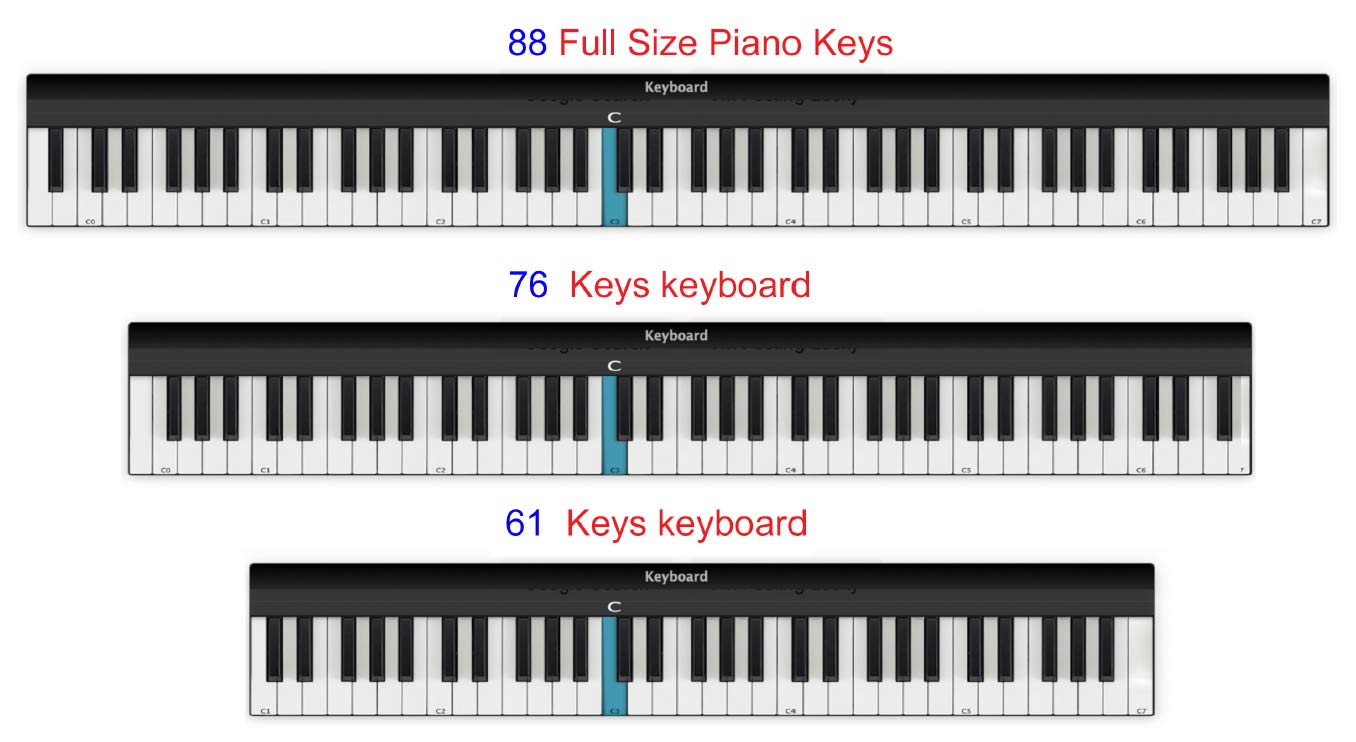
- Keys: At least 61 full-size keys. 76 is better and 88 is ideal if you have the space and budget.
- Touch sensitivity: Essential. The notes should get louder or softer depending on how firmly you play.
- Key action: Weighted keys are preferable if you want something that feels more like an acoustic piano.
- Sustain pedal: Make sure the keyboard has a socket for one.
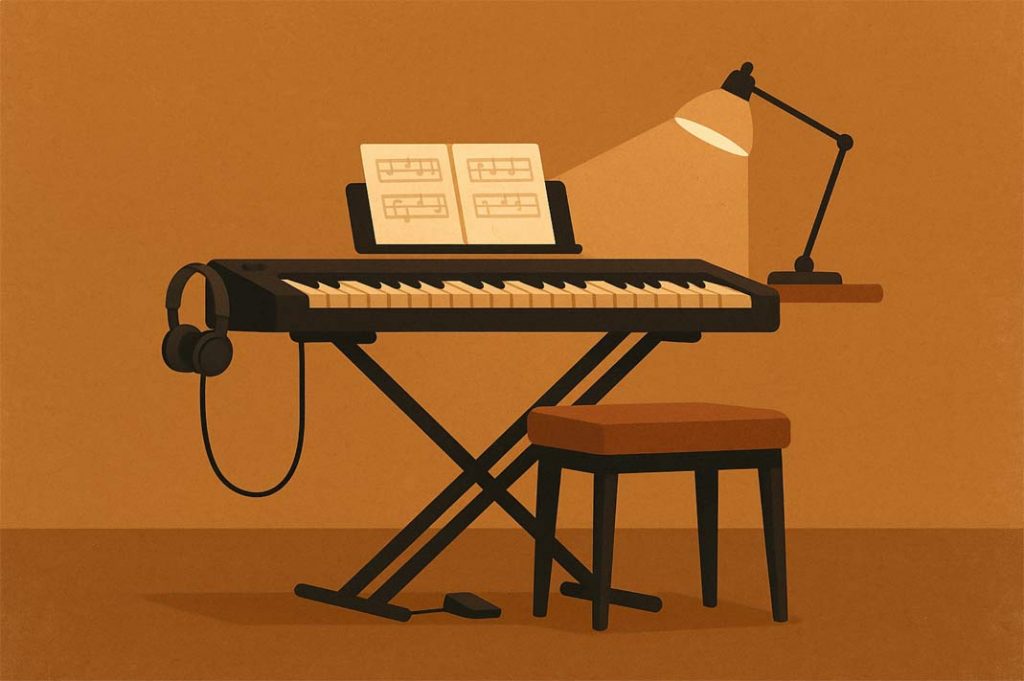
- Stand and seat: Both should be stable and at a comfortable height.
- Headphones: Very useful if you need to practise quietly.
- USB: Useful for connecting to a computer or tablet, but not essential for Pianoforall.
How Many Keys Do You Need?
A full piano has 88 keys, and that’s what I’d recommend if you have the room and can afford one.
But you certainly don’t need 88 keys to start learning.
A 61-key keyboard is perfectly adequate for a beginner and will take you quite a long way. A 76-key keyboard gives you a little more room without taking up as much space as a full digital piano.
Whatever size you choose, make sure the keys themselves are full size.
Touch Sensitivity
This is one feature I would insist on.
Touch sensitivity means that when you play a key gently, the note sounds quieter, and when you play it more firmly, it sounds louder.
That’s an essential part of playing expressively, so I wouldn’t recommend a keyboard without it.
Weighted or Unweighted Keys?
Weighted keys are designed to feel more like the keys on an acoustic piano.
If your budget allows, I’d recommend them. They give you more control over your playing and make it easier to move between a digital and acoustic piano.
Lighter keys are still perfectly usable, particularly on portable keyboards with backing rhythms and other features. I wouldn’t describe them as toy-like — some very good keyboards have lighter actions.
Sounds and Backing Rhythms
You don’t need hundreds of different sounds. A good piano sound is much more important.
However, I’ve changed my mind somewhat about backing rhythms over the years.
I’ve found them very enjoyable to play along with, and they’re particularly useful when you’re learning the rhythm, blues and jazz sections of Pianoforall. Having drums and bass playing along can also help you develop a better sense of timing.
So they’re certainly not essential, but I now think they’re worth having if you enjoy that kind of thing.
Speakers, Headphones and Connections
Built-in speakers are convenient and a headphone socket is extremely useful.
USB connections can also be useful if you want to connect your keyboard to a computer, tablet, recording software or other music apps.
But don’t choose a poorer keyboard simply because it has more connections. The quality and feel of the keyboard itself are much more important.
And check that there’s a sustain pedal socket. You’ll definitely need one as you progress.
The Sustain Pedal
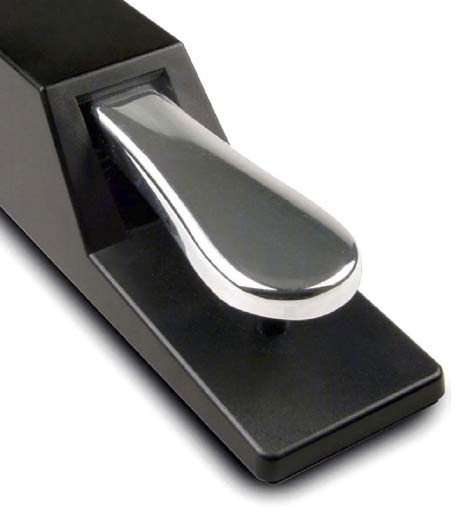
A sustain pedal allows notes to continue sounding after you lift your fingers from the keys.
It makes an enormous difference to the sound of your playing, particularly with ballads and classical music.
I recommend getting a proper piano-style pedal rather than one of the small square plastic pedals that sometimes comes with keyboards. They’re more comfortable to use and don’t move around as easily.
Make sure the pedal is compatible with your keyboard. Some pedals use different polarity settings.
One useful thing to know: on some keyboards, if you hold the pedal down while switching the keyboard on, the sustain can work in reverse. If that happens, switch the keyboard off, take your foot off the pedal and switch it on again.
What About a Sustain Button?
Some keyboards have a setting that allows notes to sustain without using a pedal.
That’s not really a substitute.
The whole point of a pedal is that you can control when notes sustain and when they stop. Leaving sustain permanently switched on very quickly makes everything sound blurred.
Choosing a Stand
You don’t need anything elaborate, but the stand should be stable.
An adjustable X-stand is inexpensive and perfectly adequate for most keyboards. Just make sure it doesn’t wobble while you’re playing.
Some digital pianos have matching wooden stands, which are generally more stable and give you something closer to the height and appearance of an acoustic piano.
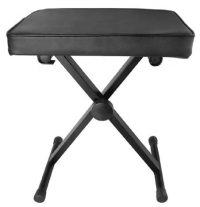 Choosing a Piano Stool
A height-adjustable stool or bench is ideal.
The important thing isn’t how thickly padded it is — it’s whether you can sit at the correct height and feel comfortable while you’re playing.
Avoid using a chair that’s so low or high that you’re having to compensate with your arms and wrists.
Getting the Height Right
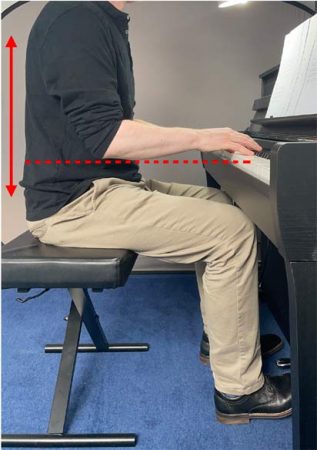 As a general guide, the top of the white keys on an acoustic piano is around 72–74 cm from the floor.
But don’t become too concerned about measuring everything to the millimetre.
Sit comfortably at the keyboard and adjust the stool so that your forearms are roughly level with the keys, or very slightly above them.
Your shoulders should be relaxed and your elbows should feel comfortable rather than being tucked tightly into your sides or stretched forward.
Your feet should be able to rest comfortably on the floor, with your right foot able to use the sustain pedal without having to stretch.
Hands and Wrists
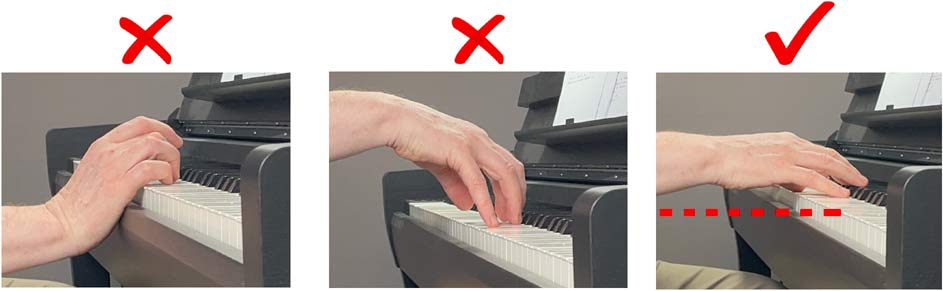
Try to keep your wrists fairly relaxed and in a natural position rather than allowing them to collapse down or bend sharply upwards.
You don’t need to hold your hands in some rigid “correct” piano position.
Comfort and freedom of movement are much more important.
And don’t be afraid to move your body. If you’re playing something mainly at the lower end of the keyboard, move slightly to the left rather than twisting yourself awkwardly to reach it.
Keep Your Playing Area Comfortable
Good lighting is important, particularly when you start reading music.
If possible, I’d also leave your keyboard set up and ready to play.
This sounds like a small thing, but if you have to get the keyboard out of a cupboard, assemble the stand and find the pedal every time you want to practise, you’re much less likely to sit down for a quick ten minutes.
Stay Relaxed
It’s quite normal to feel a little awkward when you first start playing. Your hands and fingers are learning movements they haven’t had to make before.
But try not to practise with unnecessary tension.
Every now and then, notice what your shoulders, arms and hands are doing. If you’re tightening up, stop for a moment, loosen your hands and shoulders and then carry on.
A Simple Setup Checklist
- For a first keyboard, I’d look for:
- At least 61 full-size, touch-sensitive keys
- Weighted keys if your budget allows
- A sustain pedal socket and piano-style pedal
- Built-in speakers and a headphone socket
- A stable stand
- An adjustable piano stool or bench
- USB connectivity if you think you’ll use it
- If you can afford an 88-key weighted digital piano, that’s my first choice.
But don’t let the search for the perfect instrument stop you from starting. A decent 61-key touch-sensitive keyboard is more than enough to begin learning piano.
For particular models and more detailed buying advice, see my full guide:
Choosing a Keyboard or Digital Piano
Getting started? Read the beginner guide or start a free lesson.
Ready to choose? Choosing a Keyboard or Digital Piano (Beginner’s Guide)